 Reviewed by Marcus Knapman, BSc (Hons) Computing ·
Researched from 100+ Amazon customer reviews
· How we review
Reviewed by Marcus Knapman, BSc (Hons) Computing ·
Researched from 100+ Amazon customer reviews
· How we review
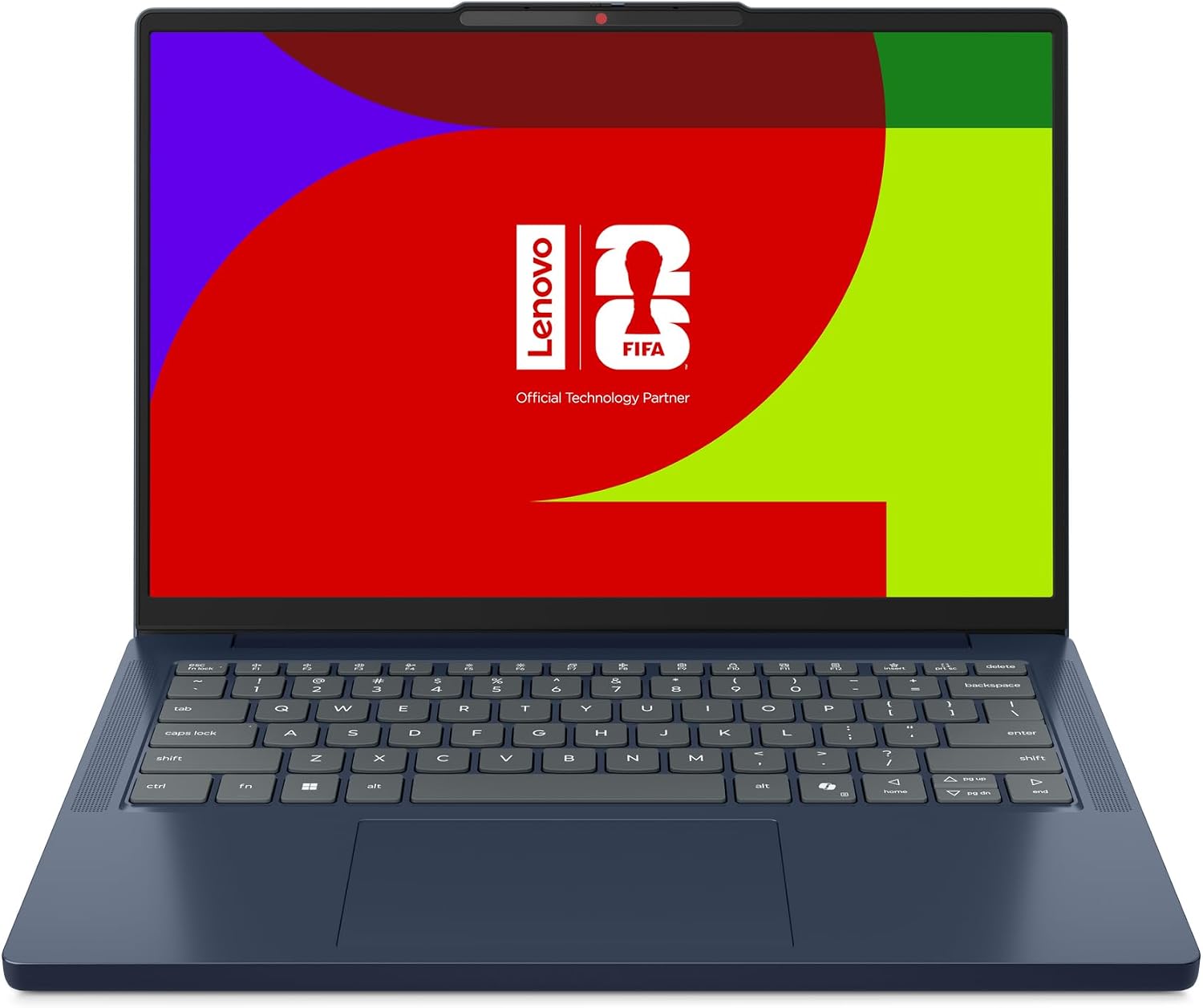
Most laptops in the £600 to £700 bracket make the same promise: fast, light, long-lasting, and somehow all of that at once. Then you open the box and find a screen that looks like it was borrowed from a 2014 office. So when the Lenovo IdeaPad Slim 3 Gen 11 landed on my research list at £649.99, I went straight to the spec sheet to see where the corners had been cut.
The short version: this is a sensible, well-specced everyday laptop with one clear weakness. The Intel Core Ultra 5 322, 16 GB of RAM and a 512 GB SSD are exactly what I'd want at this price, and Wi-Fi 7 and Copilot+ PC branding mean it won't feel dated in a hurry. The weak spot is the display, which has a 45% NTSC colour gamut. That's a polite way of saying the colours will look a bit muted, and anyone who edits photos for a living should keep scrolling.
For students, home workers and anyone whose day is mostly browser tabs, documents and video calls, though, I think it makes a lot of sense. I haven't had it on my desk for a month. This review is built from the spec sheet, Lenovo's own claims and the sort of feedback buyers leave on laptops in this class. I'll tell you where I'm confident and where you should treat the marketing with a raised eyebrow.
If I could only look at one line on the spec sheet, it would be the memory. Sixteen gigabytes is the difference between a laptop that feels fine on day one and one that still feels fine two years later, when your browser has forty tabs open and Teams is chewing through resources in the background. Plenty of cheaper laptops still ship with 8 GB and a prayer. Pairing 16 GB with a 512 GB SSD at £649.99 is, in my view, the main reason to shortlist the IdeaPad Slim 3.
The Intel Core Ultra 5 322 sits at the efficient end of Intel's range. Lenovo pitches it at work, study and streaming, and that matches what I'd expect. It's not a machine for rendering video or running anything heavy, and it doesn't pretend to be. For emails, spreadsheets, Zoom calls and a bit of Netflix in the evening, it should be comfortably quick.
Now the awkward bit. The 14-inch WUXGA panel has an anti-glare finish, which is a genuine plus if you work near a window or in a bright office. But 45% NTSC colour gamut is on the low side, and the refresh rate is a standard 60Hz. In plain English, colours will look flatter than on a better panel, and this isn't the laptop for colour-accurate photo editing or design work.

Is it a dealbreaker? For most people, no. If your day is documents, web browsing and video calls, you'll adapt within an hour. But if you've been using a MacBook or a higher-end Windows laptop, the difference will be obvious the moment you open a colourful photo. I'd rather Lenovo had spent a little more on the panel and a little less on the AI badge.
The Copilot+ PC label is the sort of thing that sounds more exciting in an advert than it does in daily use. Lenovo says the AI features automate repetitive tasks, simplify planning and open up creative options. That may well be true, and having the capability built in is a sensible bit of future-proofing. But I wouldn't pay extra for it, and I wouldn't buy this laptop expecting it to change how you work overnight.
Treat it as a bonus rather than the reason to buy. If the features turn out to be useful, great. If you never touch them, you've still got a very capable everyday laptop with a decent amount of memory.
This is the feature I'd actually use. Rapid Charge Boost promises up to two hours of use from a 15-minute charge. Lenovo's figure, and as with all manufacturer claims, your mileage will depend on what you're doing. But the principle is sound: if you've ever been halfway out the door for a meeting with a flat laptop, a quick top-up that buys you a couple of hours is far more useful than a headline battery number you rarely reach.

Lenovo also promises long-lasting battery life in general, though it doesn't put a figure on it in the product data, so I'd take that with a pinch of salt until you've seen independent runtime tests.
Wi-Fi 7 is overkill for most UK homes right now, since you'd need a compatible router to benefit. But it means the laptop won't be left behind when your broadband provider eventually sends you a shiny new one. USB-C is there for charging and connecting accessories, which is what you'd expect in 2025.
Smart Connect is Lenovo's way of linking your PC, tablet and phone so you can move between screens. It's handy if you're already in Lenovo's ecosystem and less relevant if you aren't. Worth knowing about, not worth buying for.
The keyboard isn't backlit. That's a small thing until you're typing on a dark train or in a dimly lit bedroom and can't see the keys. At £649.99, I'd have liked to see backlighting included, and it's the sort of omission that stings more than it should.
Beyond the screen and the keyboard, the picture is one of a well-balanced mid-range laptop. It's not exciting, and it doesn't need to be. The Cosmic Blue finish is a bit more interesting than the usual grey slab, which counts for something when every other laptop in this price bracket looks like an accountant's briefcase.
The Lenovo IdeaPad Slim 3 Gen 11 is a solid everyday laptop whose spec sheet looks better than the price suggests, as long as you can live with a mediocre screen. Buy it if you're a student or home worker who wants plenty of memory and fast top-up charging. Skip it if you care about colour accuracy or want a backlit keyboard.
As an Amazon Associate, Smart Trends earns from qualifying purchases.
Was this review helpful?


